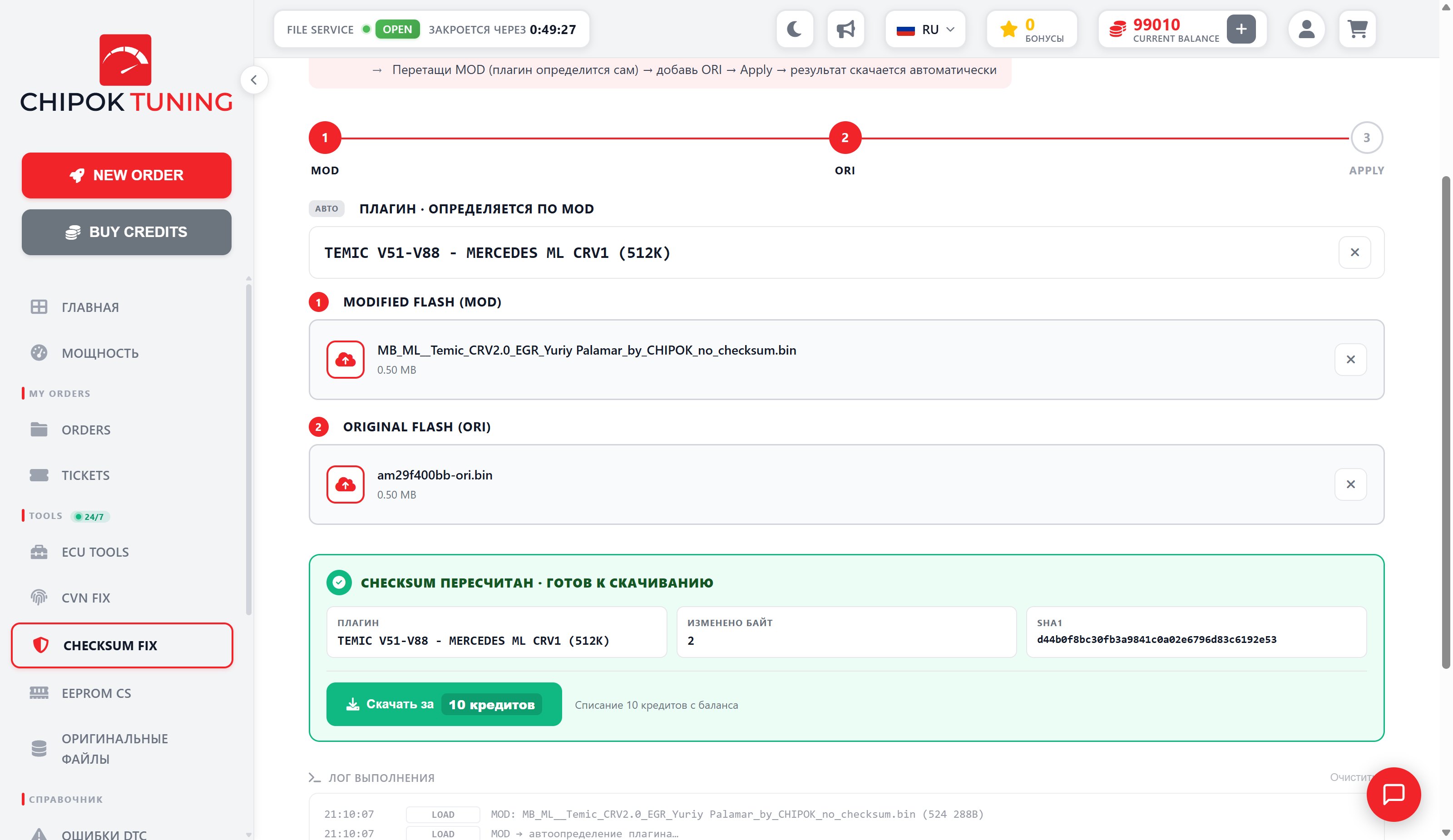
CHECKSUM FIX — an online ECU checksum calculator: 1747 plugins for BOSCH (EDC17, MD1, MG1, MED17), MARELLI, Siemens SIMOS, Continental, Delphi, Denso. Upload your MOD and ORI firmware, pick a plugin — result in a second. Checksum recalculation and auto-fix in the portal — 10 € after registration.
A complete database of supported ECUs: BOSCH, MARELLI, SIEMENS, Continental, Delphi, Denso, Motorola and more.
A local fix engine — computation takes 0.5–2 seconds. No queues.
After submission, MOD and ORI files are temporarily stored on the server for checksum diagnostics for up to 24 hours. Only an administrator can access them; they are then automatically deleted.
3 simple steps from firmware to result
New ECUs — pick a plugin from 1747 supported ones (BOSCH, MARELLI, SIEMENS, Continental, Delphi, Denso). Older ones are detected automatically from the uploaded file.
Drag in two .bin files — the modified and the original firmware. The calculator compares them and locates the changed regions.
The local engine recalculates the checksum with no queues. You will see the CRC before and after. Auto-fixing the file — in the portal for 10 EUR.
The full database of supported control units, grouped by manufacturer. Click a plugin to open its page with a description, compatible vehicles and the calculation form.
Answers to the most common questions about the checksum calculator
Any format from any tool — the key requirement is that the file contains clean binary data (raw binary). Files from slave devices and emulators will not work. ORI and MOD must be the same size. Limit: up to 8 MB in preview, up to 16 MB in the portal.
The plugin diffs MOD against ORI to locate the changed regions and recalculate the checksums only over them. Without the ORI you can break the calibration protection.
Fixed — the checksum was recalculated, the file is ready to flash. Download it and flash.
Already correct — the checksum was valid, the file was not changed.
Identical files — MOD matches ORI: the changes have not been applied to the firmware yet.
Plugin does not match — the wrong ECU is selected, check the plugin choice.
Size mismatch — ORI and MOD must be the same size (one version, one platform).
After submission, MOD and ORI files are temporarily stored on the server for checksum diagnostics, accessible only to an administrator, and automatically deleted within 24 hours. The corrected file may be stored separately in the portal order chat for download again.
Every paid order in the portal earns +1 bonus. One bonus can pay for a checksum recalculation instead of credits — if your balance has at least 1 bonus, the «Download for 1 bonus» button appears automatically. All bonus credits and deductions are shown in the credit history.